Manage Users and Codes
Swipe down to access the settings tray.

Touch “SETTINGS.”

Touch “ADVANCED SETTINGS.”

Enter your master code.

Touch “User Management”

Existing Users
Existing Users
Here you will find a list of all current users. You can change user codes and user capabilities.
User Types
Master: Access panel functions, camera, and system settings.
User: Access panel functions, camera, but NOT system settings.
Guest: Used to give arm and disarm access to those users who will use the panel on a temporary basis
Expiration Date: Choose a specific date to disable a user code automatically.
Adding a User
Adding a User
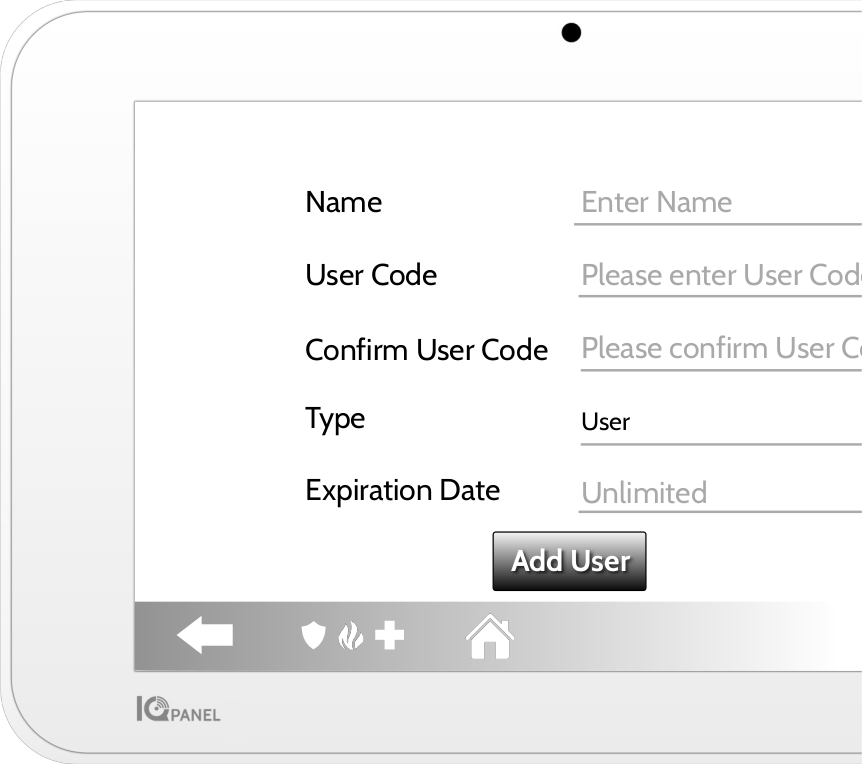
Add User Screen
Once on the “Add User” screen, you can create a custom name and user code and indicate whether you want this person to be a Master, User, or Guest.